Spyro the Dragon PS1 Game Controls
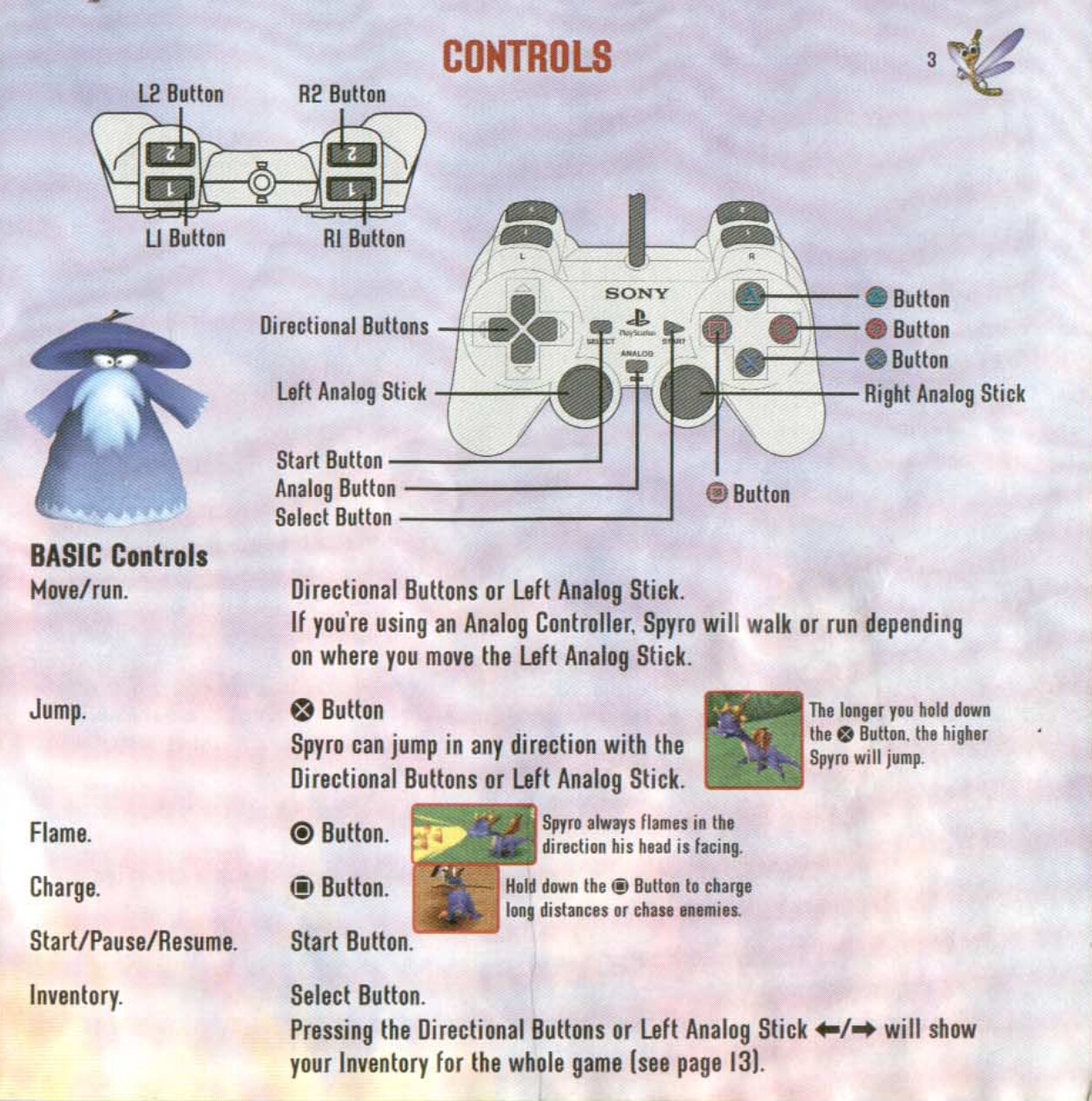
Spyro the Dragon – PlayStation 1 Controls
Click the image above to enlarge it.
✕ — Jump
Makes Spyro jump. Press ✕ again while airborne to glide across gaps and reach distant platforms.
✕ + ✕ — Glide
Jump twice to spread Spyro’s wings and glide. Useful for crossing gaps and reaching raised platforms.
△ — Hover / Stop in Midair
Press △ while gliding to perform a hover, allowing Spyro to gain a little extra distance and land more accurately.
Hold △ — Look Around
Hold △ to look around Spyro’s surroundings without changing his position.
○ — Breathe Fire
Spyro’s main flame attack. Use it to defeat enemies, activate certain objects and burn obstacles.
□ — Charge
Spyro charges forward using his horns. This is useful for defeating smaller enemies, smashing objects and travelling quickly.
□ + ✕ — Quick Charge
Press □ and ✕ together to perform a quick charge jump, allowing Spyro to maintain his momentum while jumping.
L2 / R2 — Move Camera
Use L2 or R2 to rotate the camera around Spyro and get a better view of the surrounding area.
L1 / R1 — Side Roll
Roll sideways to dodge attacks and avoid obstacles. Useful when facing enemies or navigating narrow areas.
START — Pause
Pauses the game and opens the pause menu.
SELECT — View Inventory
Displays Spyro’s current collection, including gems, dragons and eggs.